

ASSORT + MODMED
Assort’s AI agents answer patient calls, schedule and manage appointments, automate referral outreach, and complete routine patient-access work directly within supported ModMed workflows.
Your practice keeps the specialty-specific rules that make ModMed work for your team. Patients get an immediate path to the right next step.

A personalized walkthrough of how Assort works for your specialty, with real examples from practices like yours. No generic pitch—just answers.
TRUSTED BY SPECIALTY PRACTICES ON MODMED





Proof on ModMed
SENTA Partners supports nearly 70 ENT and allergy locations. Before Assort, high call volume meant patients waited an average of 6 minutes and 36 seconds, while 24.3% of inbound calls were dropped.
With Assort, SENTA automated inbound patient access and proactive referral scheduling while continuing to work within its ModMed environment.



Connecting an AI agent to ModMed is table stakes. The harder problem is knowing why a patient needs an appointment, which provider should see them, whether their insurance changes the path, whether they are new or established, which location can handle the visit, and what should happen when a routine scheduling request turns into a clinical or operational exception.
Assort brings those practice-specific rules into every patient interaction, then uses the ModMed connection to complete the supported action.
Assort can use supported patient, provider, location, appointment, and scheduling information from ModMed to identify an appropriate appointment and complete configured booking workflows.
Patients can schedule, reschedule, or cancel supported appointments during the conversation rather than leaving a message for staff to process later.
The confirmed appointment remains part of the practice’s existing ModMed scheduling workflow.
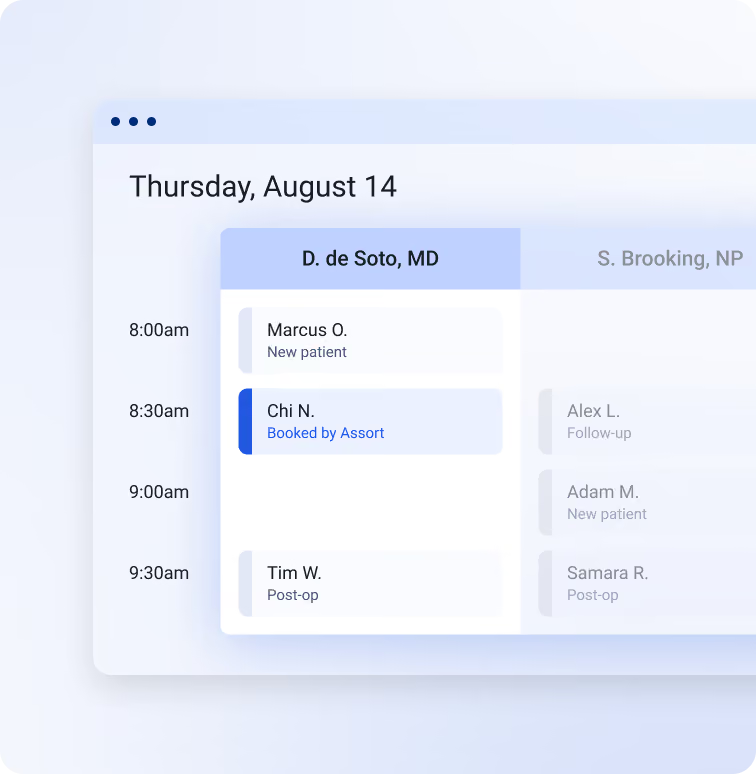
An open appointment is not necessarily an appropriate appointment.
Dermatology may distinguish medical, cosmetic, surgical, and procedure visits. Orthopedics may route by body part, provider subspecialty, injury history, or imaging requirements. Ophthalmology may have separate paths for routine exams, postoperative concerns, injections, or urgent symptoms. ENT practices may layer subspecialty, age, referral status, and location rules into a single scheduling decision.
Assort configures the agent around those rules rather than treating the ModMed calendar as a list of interchangeable openings.
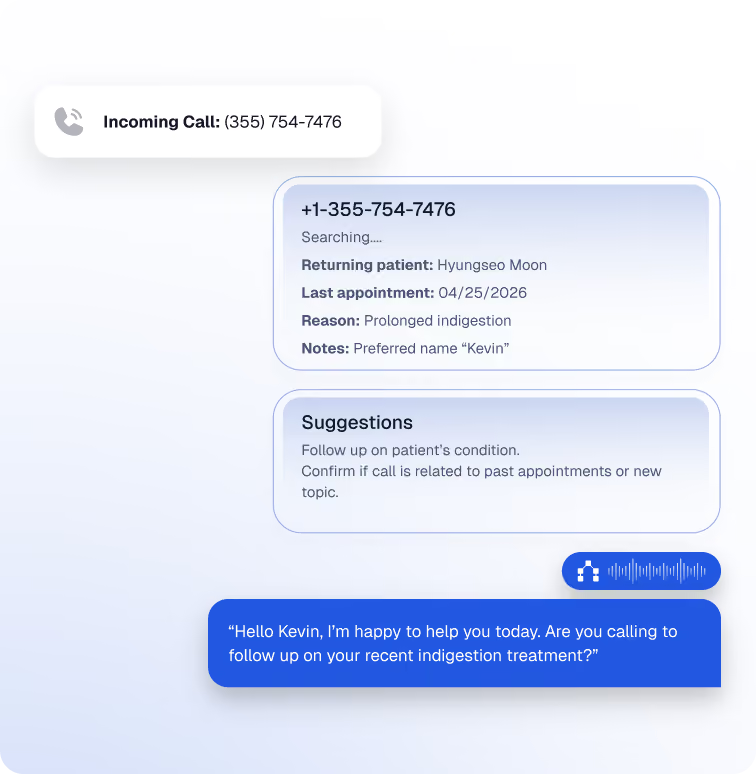
For supported workflows, Assort can identify existing patients, create new patient records, reference appointment history, update demographics and insurance information, and work with appointment notes.
That means a scheduling interaction can use the context already available in ModMed instead of asking staff to reconstruct the patient’s history after the call.
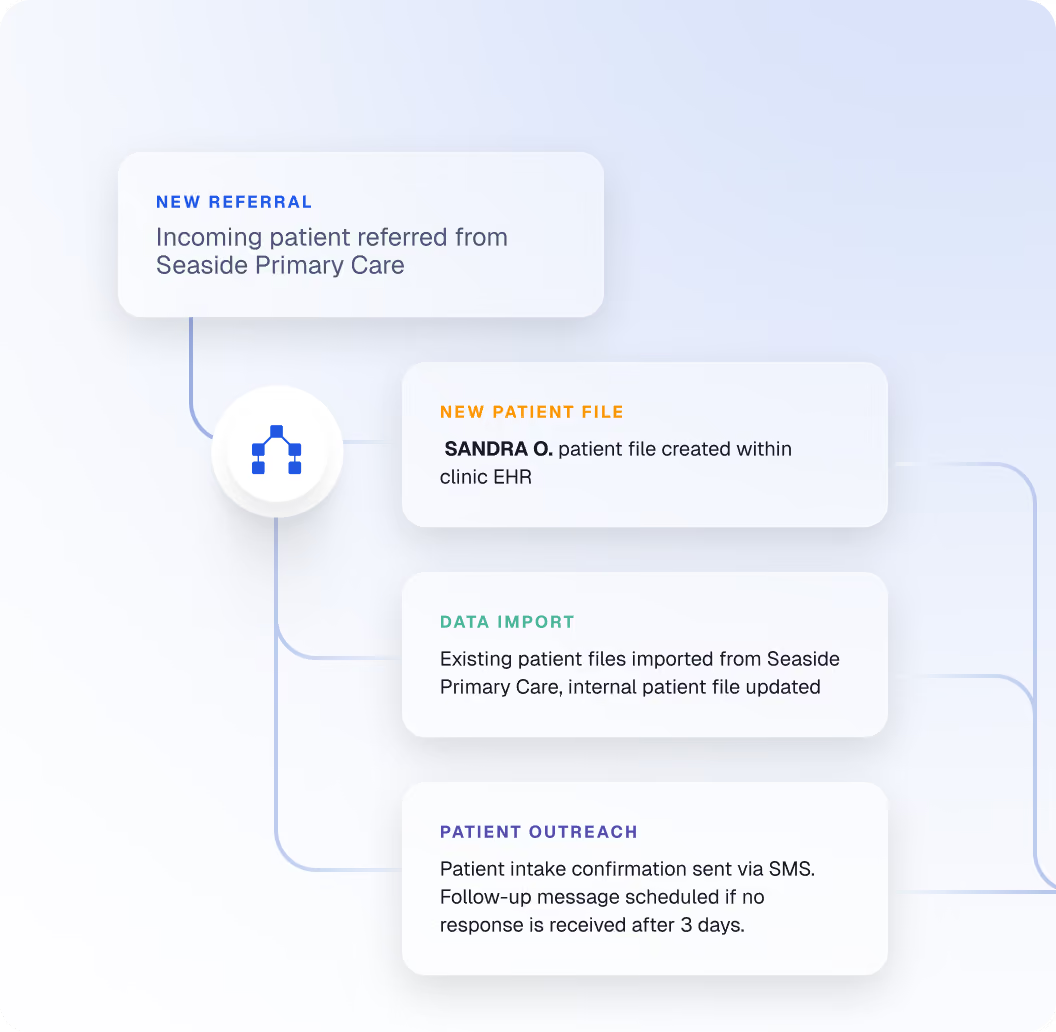
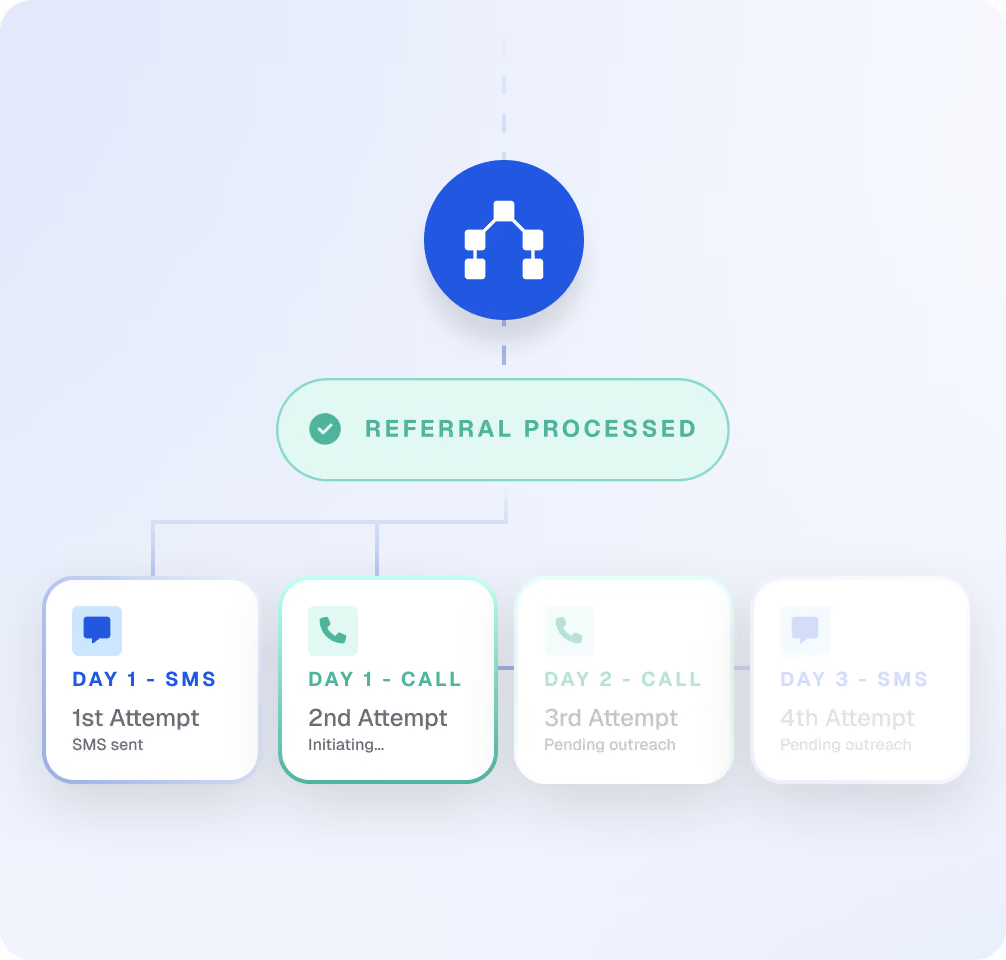
For supported ModMed referral workflows, Assort can identify patients who need follow-up, reach out through automated campaigns, and move eligible patients toward a booked appointment.
SENTA reached a 64% conversion rate on automated referral scheduling outreach, turning a workflow that previously required repeated manual follow-up into a scalable patient-access program.
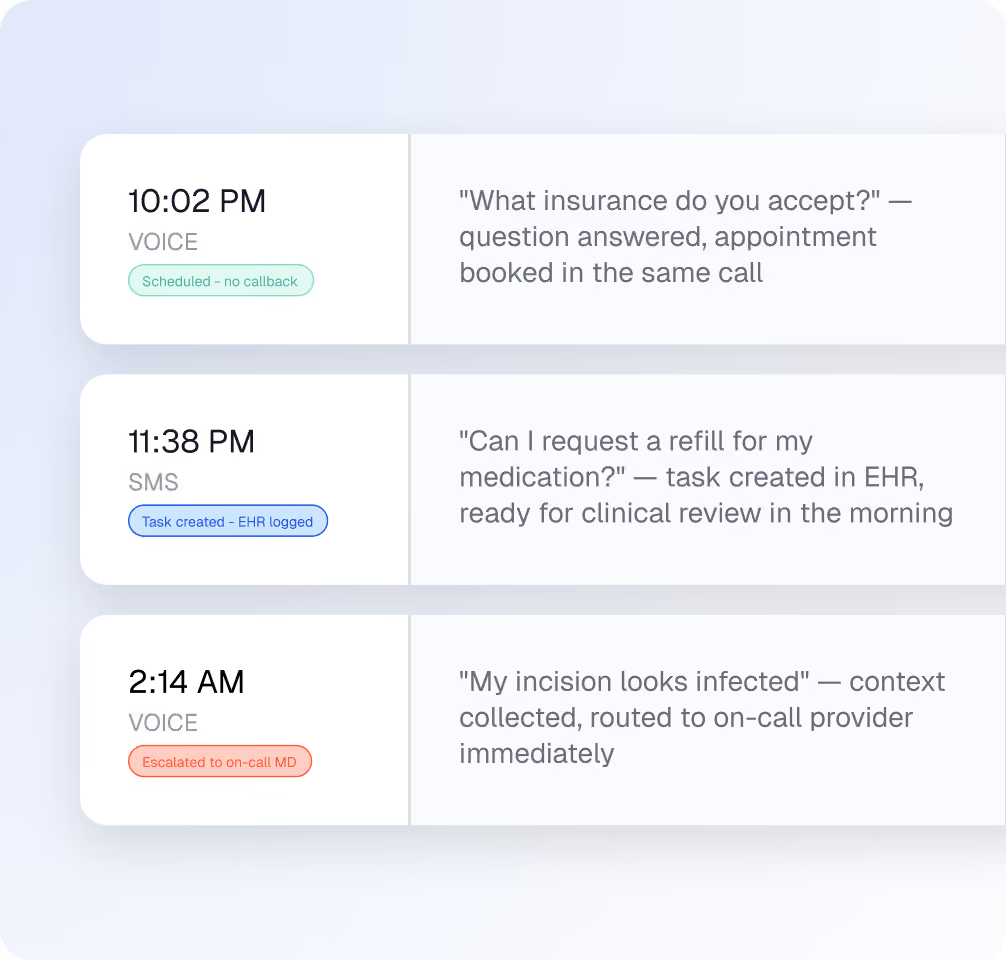
Patient demand does not stop when the front desk closes.
Assort can handle configured scheduling and routine patient requests outside normal office hours, capturing appointments that would otherwise become voicemail, callbacks, or abandoned demand.
The same practice-specific rules continue to apply after 5 p.m.
Assort supports ModMed-connected organizations across dermatology, orthopedics, ophthalmology, ENT and allergy, urology, pain management, and multispecialty care.
The integration matters because it gives the agent a place to act. Specialty depth determines whether the action is right.
Separate medical, cosmetic, surgical, and procedure pathways before offering an appointment. Apply provider, location, insurance, visit-history, and treatment-specific rules to routine scheduling and patient requests.
Current ModMed customers include multi-location dermatology organizations such as Westlake Dermatology, Hamzavi Dermatology, South Jersey Skin Care & Laser Center, and others.
Route patients according to body part, injury, previous treatment, provider subspecialty, location, insurance, and new-versus-established status before scheduling.
Assort currently supports ModMed-connected orthopedic groups ranging from independent practices to organizations with more than 100 providers.
Use practice-defined logic to distinguish routine scheduling from specialty and urgent workflows, while accounting for provider, location, visit history, and appointment requirements.
Current ModMed-connected ophthalmology customers include organizations such as Cascade Eye & Skin Centers and The Eye and Laser Center.
Support high-volume inbound access alongside referral-driven scheduling and proactive outreach.
At SENTA, this combination reduced average hold time from 6 minutes 36 seconds to 12 seconds and converted 64% of automated referral scheduling outreach into appointments.
Assort can also support ModMed-connected urology, pain management, and multispecialty groups. Scope is defined around the patient journeys, ModMed capabilities, and practice-specific operating rules involved.
how it works
Because Assort is already connected through ModMed’s SynapSYS ecosystem, implementation is primarily about configuring the connection and teaching the agent how your practice works, not building an integration from scratch.

Choose the workflows to address first, such as inbound scheduling, appointment changes, referrals, after-hours access, patient questions, or intake.

Your practice authorizes the Assort connection to its ModMed environment. ModMed provisions practice-specific API credentials for the integration.

Assort maps the providers, locations, appointment types, scheduling rules, insurance requirements, routing logic, escalation paths, and other details needed for the workflows in scope.

Assort tests the configured workflows with your team against real patient scenarios, validates the ModMed actions, and launches in typically three to five weeks, depending on provisioning and practice configuration.
The ModMed integration can support more than appointment booking.
Depending on the workflow and practice configuration, Assort can work with supported ModMed data and actions across:
Search for existing patients, create new records, and update supported demographics.
Find appointments, book, reschedule, and cancel.
Read and update supported insurance information.
Reference past and upcoming appointments and supported appointment notes.
Detect supported referral activity, coordinate outreach, and move eligible patients toward scheduling.
Add supported documents and insurance-card information and update selected clinical information.
Read patient balances and charge information for supported workflows and direct patients to the appropriate payment experience.
Support selected ModMed task and chart actions when included in the configured workflow.
The exact scope is defined during implementation so the agent works inside the practice’s operating model rather than introducing a generic layer on top of it.
Yes. Assort integrates with ModMed through its SynapSYS API ecosystem and is already live in specialty practices using ModMed EMA.
The integration allows Assort to use supported patient, appointment, insurance, provider, location, and other ModMed information while completing configured patient-access workflows.
For supported workflows, Assort can search and create patient records, read and update patient demographics, access insurance information, retrieve appointment history, find scheduling availability, and book, reschedule, or cancel appointments.
Assort also supports additional patient-access workflows such as referral outreach, after-hours coverage, intake, and selected task or chart actions. The exact workflow is configured around the practice’s requirements and the ModMed capabilities involved.
Yes. Assort can schedule supported appointments through the ModMed integration.
Before offering an appointment, the agent can apply the practice’s configured logic around factors such as provider, location, appointment type, patient history, insurance, visit reason, and new-versus-established status. The goal is not simply to find an open slot. It is to book the appointment the practice itself would have booked.
Yes. Supported ModMed workflows include appointment creation, rescheduling, and cancellation.
The agent first identifies the patient and relevant appointment, applies the practice’s configured rules, and then completes the supported change during the interaction.
Yes. Assort is used by ModMed practices across specialties including dermatology, orthopedics, ophthalmology, ENT and allergy, urology, and pain management.
The agent is configured around the same distinctions the practice already makes, including provider specialty, location, visit type, symptoms or reason for visit, insurance requirements, patient history, and other workflow rules.
Assort supports referral workflows on ModMed, including identifying supported referral activity, proactive patient outreach, and appointment scheduling.
At SENTA Partners, automated referral scheduling outreach reached a 64% appointment conversion rate. SENTA’s broader Assort deployment also generated $1.3 million in additional appointment revenue.
Specific referral workflows should be scoped during implementation because requirements differ significantly by specialty and practice.
Assort can read and submit supported insurance information through the ModMed integration.
ModMed has specific configuration requirements for insurance reconciliation, so Assort coordinates that setup during implementation and validates the workflow before go-live.
Assort supports selected intake actions with ModMed, including adding documents and insurance-card information and updating supported patient information.
The exact fields and write-back behavior depend on the intake workflow being deployed. Assort scopes those requirements with the practice before launch.
A typical ModMed implementation can reach production in approximately three to five weeks.
The main external step is provisioning the practice’s SynapSYS connection. Assort then configures the included providers, locations, appointment types, scheduling rules, and workflows, tests them with the practice, and coordinates go-live.
ModMed currently charges practices separately for SynapSYS API access. Internal implementation guidance lists the fee as $25 per provider per month, capped at 25 providers, or $625 per month.
Because this fee is billed by ModMed rather than Assort and may change, confirm current ModMed pricing during implementation.
Yes. Assort has a ModMed marketplace listing and connects through ModMed’s SynapSYS ecosystem.
View Assort on the ModMed Marketplace
Assort also integrates with:
Bring us the three patient-access workflows that create the most work for your team. We will show you how Assort applies your specialty-specific scheduling and routing rules and completes supported actions in the ModMed environment your staff already uses.
ModMed, EMA, and SynapSYS are trademarks of their respective owner. All other trademarks are the property of their respective owners.