
.svg)

Topics
See it in action
TL;DR
- Most specialty practices don't have a patient intake problem. They have a patient access problem.
- Specialty practices need intake software built for complex subspecialty routing, payer logic, and phone-driven scheduling, not generic form-based tools designed for primary care.
- This guide breaks down the patient intake software options and challenges specific to specialty practices and the features that separate specialty-trained platforms from general-purpose booking tools.
Topics
TL;DR
- Most specialty practices don't have a patient intake problem. They have a patient access problem.
- Specialty practices need intake software built for complex subspecialty routing, payer logic, and phone-driven scheduling, not generic form-based tools designed for primary care.
- This guide breaks down the patient intake software options and challenges specific to specialty practices and the features that separate specialty-trained platforms from general-purpose booking tools.
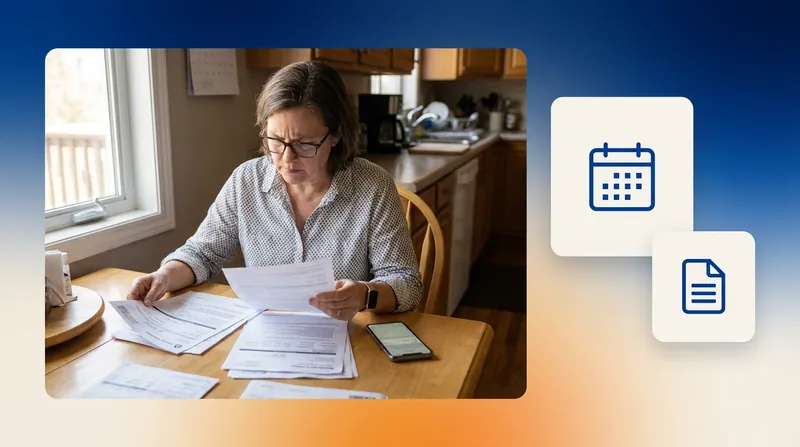
At 8:20 a.m., your front desk already has nine callers on hold. One hangs up after waiting six minutes. Another gets booked with the wrong provider because the scheduler doesn't know that a retinal detachment referral follows different rules than a diabetic eye exam. A third needs prior authorization before scheduling, but nobody discovers that until the day before the visit. None of those failures show up as an intake problem. They show up weeks later as a rejected claim, a staff complaint, and a patient who booked with someone else.
That's why specialty practices need a different kind of intake software than primary care. Without it, by week's end, it could mean dozens of lost appointments and thousands in leaked revenue.
Patient intake software is what stands between that chaos and a booked, prepped, eligibility-verified patient. In specialty care, the platform you choose decides whether intake resolves every referral, insurance prerequisite, and subspecialty routing decision on the first call or hands your staff another mess to untangle.
In this guide, we break down the scheduling challenges specific to specialty practices and the features that separate specialty-trained platforms from generic intake tools. We also evaluate the top seven patient intake software options worth considering so you can choose the one that best fits your practice.
A common mistake is assuming all intake platforms solve the same problem. Many platforms focus on forms, registration, and check-in. Those features matter, but they don't solve the scheduling and routing challenges that drive most specialty access bottlenecks. Before evaluating vendors, identify where intake breaks down in your practice:
- High call volume?
- Misbooked appointments?
- Eligibility verification delays?
- Referral processing backlogs?
- Incomplete registration?
The answer should determine which category of software you buy.
What Is Patient Intake Software for Specialty Care?
Patient intake software captures everything needed to prepare a patient for their visit before they arrive: registration, insurance and eligibility, consent forms, medical history, specialty-specific screeners, and the clinical context the provider needs to treat them. In primary care, that's largely standardized. Specialty care is different.
For instance, when a new patient calls a retina practice for a diabetic eye exam, intake has to confirm insurance authorization for dilated fundus photography, flag whether fluorescein angiography is required at the same visit, and route the patient to the correct subspecialist based on the referral diagnosis.
Most intake platforms were designed around generic check-in workflows. But specialty groups need a system that reads referral reasons, enforces payer sequencing, and validates visit-type prerequisites automatically, so staff aren't auditing every submission by hand.
Why Do Specialty Practices Need Patient Intake Software More Than Ever in 2026?
Specialty practices face three problems at once, and manual processes struggle to keep up:
- Financial pressure: No-shows alone cost an estimated $150,000 per physician annually in some practice models, and every misbooked appointment layers a rejected claim or wasted visit on top of that. The reason is simple: specialty scheduling is complicated. A single appointment can require resolving six or more interdependent variables before the patient is booked, including specialty, subspecialty, provider type, visit length, anticipated equipment, and level of care.
- Labor challenges: Eligibility verification and prior authorization consume 45% of staff phone time, and scheduling adds another 31%. If a scheduler quits, the next hire takes weeks to learn specialty-specific triage logic, misbookings rise during the ramp, and burnout pushes the next resignation.
- Poor patient experience: Phone calls remain the dominant intake channel, with 73% of medical groups reporting fewer than one in four patients use digital self-scheduling. Imagine a patient calls, waits on hold, gets routed to the wrong provider, and either hangs up or shows up for a visit the practice can't complete. That's three failures inside one interaction: long hold time, misbooking, and a wasted visit.
Practices that automate patient intake across voice, web, and SMS are already recovering the revenue that manual workflows leak. For example, Chesapeake Health Care reported reduced hold times by 89% and increased patient satisfaction scores from 2.6 to 4.4 out of 5 after deploying Assort Health's AI voice agents to handle inbound intake and scheduling 24/7.
Essential Features to Look for in Patient Intake Software for Specialty Groups: 7 Capabilities
When evaluating patient intake software for specialty care, prioritize the capabilities that determine whether intake resolves on the first interaction or creates downstream work for your staff:
- Specialty-trained intake logic and protocol depth: The platform should route by subspecialty and chief complaint, validate referrals and prior authorizations at the point of booking, and enforce provider-specific visit-type rules. Look for training on real specialty interactions, such as coverage of linked appointments and payer-specific sequencing (like global periods and annual wellness visit timing).
- Real-time bidirectional EHR/PMS integration: Intake data should flow directly into the patient chart, trigger EHR tasks (prescription refills, callback requests, referral follow-ups), and update eligibility status the moment it's verified. Batch sync and one-way integrations raise the risk of duplicate records, misbookings, and claim rejections, and they force staff back into manual re-entry for every exception.
- Omnichannel intake (across phone, text, web, and chat): Phones still drive the majority of specialty bookings, so a web-only portal leaves most intake volume unanswered. The platform should handle intake through AI voice agents, digital forms, two-way SMS, and chat, with context carried across channels so patients don't repeat themselves when they switch from a call to a text.
- Patient context continuity: Patients shouldn’t have to repeat themselves. When intake needs a human, staff should receive a full context dashboard with everything the platform already collected, including identity, complaint details, insurance status, and triage context. Asking a patient to repeat what they just said is the single fastest way to erode satisfaction scores.
- Multilingual coverage: Intake should support at least 25 languages so non-English-speaking patients can complete scheduling, eligibility, and triage in their preferred language, rather than getting stuck in a human interpreter queue that slows every step.
- 24/7 availability: Patients call nights, weekends, and holidays, and those after-hours calls are often where new appointment volume lives. Limiting intake to business hours caps your growth at the pace of your call center.
- Security requirements: Documented HIPAA compliance and a signed Business Associate Agreement (BAA) are table stakes. SOC 2 certification verifies that the vendor meets independent standards for data security, availability, and confidentiality.
How We Evaluated These Platforms
Not every patient intake platform solves the same problem.
Some focus on digital forms and registration. Others specialize in patient communications, self-service check-in, or AI-powered scheduling.
For this guide, we evaluated each platform based on the capabilities that matter most in specialty care:
- Ability to handle complex scheduling logic
- Support for phone-based intake
- EHR integration depth
- Insurance and eligibility workflows
- Multilingual support
- Automation of repetitive staff tasks
- Fit for specialty practices rather than primary care
We reviewed vendor documentation, product materials, customer case studies, and publicly available information. Features and capabilities may change over time.
Here's how the top patient intake software options compare across those features:
| Feature | Assort Health | Phreesia | Luma Health | Clearwave | Artera | Hyro AI | Notable Health |
|---|---|---|---|---|---|---|---|
| Specialty Intake Logic and Protocol Depth | High: subspecialty routing, payer sequencing, and prior auth validation across 22+ specialties | Moderate: configurable specialty forms and validated clinical screeners | Moderate: access and intake workflows | Moderate: rules-based self-service registration and eligibility | Moderate: AI agents for patient communication workflows | Moderate: pre-built scheduling, physician search, and prescription skills | Moderate: EHR-grounded personalization from chart data |
| Omnichannel Intake | Voice AI, web, SMS, email, chat | Web, mobile device, in-office tablet | Voice, SMS, email, web/app messaging | In-office kiosk, mobile, tablet, web, SMS | Voice, SMS, email | Voice, web chat, mobile apps, SMS | Web, mobile |
| Patient Context Continuity | Warm handoff with full context dashboard, AI summarization, and emotion detection | Pre-visit registration data carried into visit | Unified communication history and EHR‑synced data across scheduling, messaging, and intake | Self-service data captured at check-in | AI co‑pilot summaries for human handoff | Standard handoff within voice flows | EHR and prior intake data to pre‑populate forms and maintain an up‑to‑date longitudinal patient record |
| Multilingual Coverage | 29 languages across all channels | Multilingual digital intake | 30+ languages for automated reminders and patient messaging | 13+ languages for registration, reminders, and recalls | 109 languages across SMS, voice, and email | English and Spanish only | 150 languages for text and voice |
| 24/7 Availability | 24/7 AI voice agents | Coverage varies by deployment | 24/7 voice AI for inbound calls; digital intake available outside office hours | Patient‑led self‑scheduling and digital check‑in available after hours | Automated patient communication outside business hours | 24/7 AI agents across channels | Patient-led automated digital intake and outreach |
The 7 Best Patient Intake Software Platforms for Specialty Practices
Below, we break down each platform's key features, pros, cons, and the practices they fit best, so you can move from shortlist to decision without running parallel evaluations on seven vendors.
1. Assort Health
Assort Health is an AI Agents Platform built for specialty-specific patient access, covering intake, scheduling, triage, referrals, billing, and overdue care outreach through AI voice agents that operate 24/7. It is trained on over 160 million patient interactions, 62,000 care protocols, and 1.6 million unique decision pathways, helping it handle the scheduling rules, referral requirements, and insurance checks that often trip up generic intake tools.
Key Features
- Subspecialty routing with payer-specific logic and prior authorization validation across 23+ specialties
- Bidirectional EHR integration with 20+ platforms, including deep athenahealth integration
- Patient journey memory across interactions, preferences, and language at every touchpoint
- Warm handoff with full context transfer, AI summarization, and emotion detection
- Outbound campaigns for overdue screenings, no-show rescheduling, and payment resolution
Pros
- Deployment takes six weeks through Synapse, Assort’s automated implementation engine, with dedicated onsite engineers customizing the platform to your specialty, providers, and workflows
- Continuous automated quality assurance validates scheduling accuracy and protocol adherence beyond launch
- Assort provides reporting on scheduling accuracy, channel performance, and opportunities to reduce patient access bottlenecks.
Cons
- Designed for complexity: practices with straightforward, single-modality scheduling needs may not need the full platform
- Implementation is collaborative and protocol-driven, which requires practice engagement upfront
Who Is Assort Health Best For?
Specialty practices with 50+ providers managing complex scheduling logic across multiple subspecialties, locations, and payer logic. The platform is purpose-built for organizations where generic intake tools create misbookings and where phone volume drives the majority of scheduling traffic.
Book a demo with Assort Health to find out how much revenue your practice loses monthly to unanswered after-hours calls.
2. Phreesia
Phreesia is a patient intake and engagement platform that supports all specialties and offers clinical assessments and screening tools. The platform integrates bidirectionally with multiple EHR systems and holds HITRUST CSF and SOC 2 Type 2 certifications.
Key Features
- Specialty-validated screening instruments such as PHQ-9 and AUDIT-C, configurable by visit type
- Voice AI for conversational scheduling and prescription refills
- PCI-DSS Level 1 payment security certification
Pros
- Pre-visit registration workflow is designed to reduce check-in time
- Customizable for specialty workflows, including oncology-specific processes
- Broad EHR integration with HL7/FHIR open standards
Cons
- VoiceAI has a shorter track record than Phreesia's form-based intake tools
- Multi-organization setups may require extra review for branding and office-key configuration
Who Is Phreesia Best For?
Mid-to-large specialty practices prioritizing form-based intake with validated clinical screening libraries on Epic, athenahealth, or NextGen. Practices that want voice AI as a primary channel should review current VoiceAI capabilities carefully.
3. Luma Health
Luma Health is a patient engagement platform built on a proprietary AI core called Spark, operating across four modules: Agentic Access, Agentic Engagement, Agentic Intake, and Agentic Payments.
Key Features
- Digital forms, clinic flow management, and self-service check-in
- Navigator conversational AI with direct Epic integration
- SMS masking displaying local area codes to improve response rates
Pros
- Combines access, intake, outreach, eligibility, and payments across its four modules
- Supports digital intake, outreach, and conversational AI within one platform
- Navigator conversational AI is confirmed for Epic; practices on other EHRs should verify coverage before committing
Cons
- Navigator conversational AI is confirmed for Epic; other EHR coverage should be verified
- Setup may require layered configuration depending on workflow complexity
Who Is Luma Health Best For?
Mid-to-large primary care groups and multi-specialty organizations on Epic seeking a unified patient engagement platform that bundles digital intake, outreach, eligibility, and payments into one workflow.
4. Clearwave
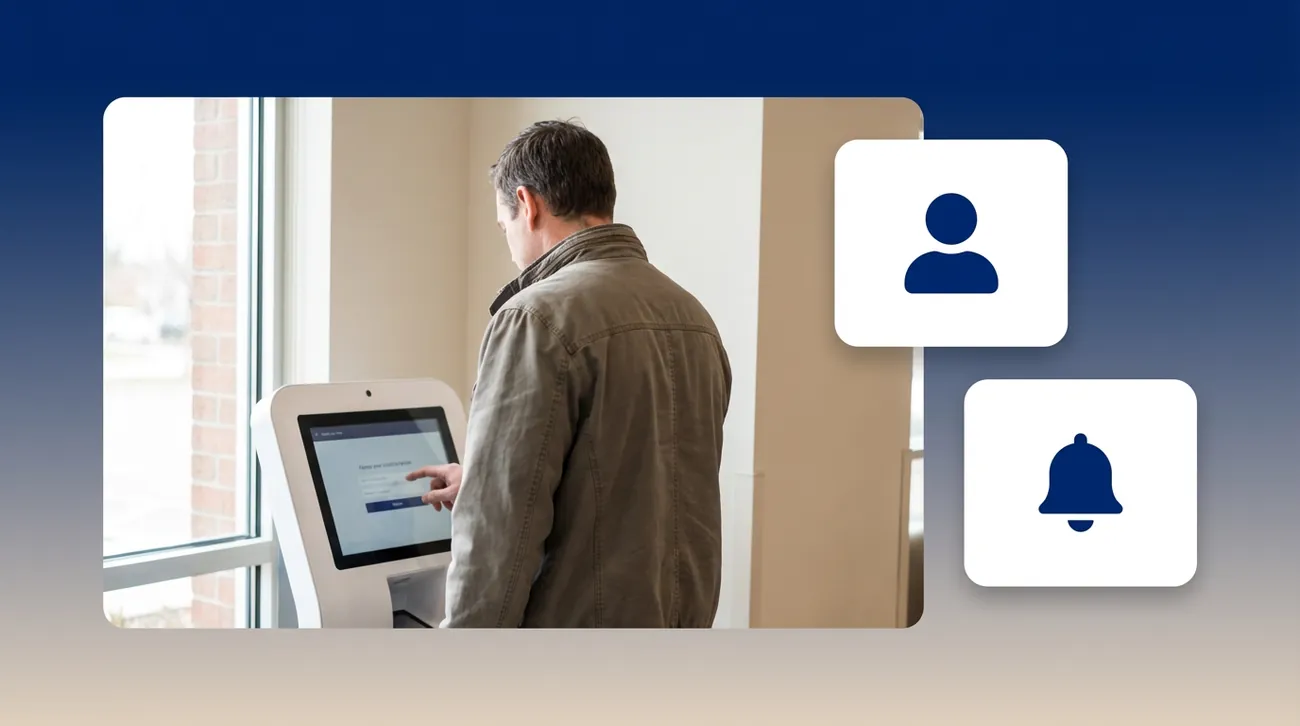
Clearwave is a patient-led self-service platform that shifts administrative tasks from staff to patients through kiosk, mobile, and tablet check-in. It emphasizes eligibility verification and point-of-service collections.
Key Features
- Kiosk, mobile, and tablet registration associated with reduced manual tasks
- Eligibility verification to reduce claim rejections
- Patient self-scheduling with automated waitlist
Pros
- Automated eligibility and self-service registration are designed to reduce manual staff workload
- Point-of-service collection engine with co-pay capture at check-in
- Strong fit for practices prioritizing front-desk self-service workflows
Cons
- Limited specialty-specific scheduling logic means subspecialty routing and payer sequencing still require staff intervention for complex cases
- Phone-heavy practices may need a complementary voice solution
Who Is Clearwave Best For?
Mid-to-large multi-provider specialty practices seeking self-service registration. Particularly strong where point-of-service collections are a revenue cycle priority.
5. Artera
Artera is a patient communications platform offering tiered AI agent deployment across co-pilot, semi-autonomous, and fully autonomous modes. The platform supports revenue cycle workflows like insurance verification, balance reminders, and payment collection.
Key Features
- Tiered AI agent architecture: co-pilot, semi-autonomous, fully autonomous
- Smart Inbox centralizing patient communication channels
- Real-time insurance verification and automated billing reminders
Pros
- Tiered deployment lets organizations adopt AI incrementally
- Broad omnichannel communication footprint across major EHR environments
- Strong fit for organizations focused on messaging and patient communications
Cons
- Stronger in patient communications than end-to-end intake
- Revenue cycle features may require additional scoping during procurement. Stronger in patient communications than end-to-end intake automation; practices needing deep specialty scheduling logic should evaluate whether the communications layer alone closes the operational gap
Who Is Artera Best For?
Specialty groups on major EHRs needing omnichannel patient communications as a complement to existing intake workflows. Practices needing end-to-end intake automation should evaluate whether communications alone closes the operational need.
6. Hyro AI
Hyro AI deploys AI agents to automate routine patient interactions across voice, web chat, mobile apps, and SMS, with pre-built skills for scheduling, physician search, and prescription refills that require no custom training data to deploy.
Key Features
- Pre-built scheduling, physician search, and prescription skills; no training data required
- Responsible AI framework spanning explainability, control, and compliance
- Confirmed Epic Advanced API integration for scheduling and patient record identification
Pros
- Call abandonment reduction through automated voice routing and SMS deflection
- Hallucination-containment architecture addresses a key risk for patient-facing AI
- No-training-data deployment model reduces the implementation barrier
Cons
- Stronger in patient communications than end-to-end intake automation; practices needing deep specialty scheduling logic should evaluate whether the communications layer alone closes the operational gap
- Specialty-specific protocol depth beyond core pre-built skills may require custom configuration for complex subspecialty workflows
Who Is Hyro AI Best For?
Health systems on Epic seeking call abandonment reduction with emphasis on AI governance, but verify whether pre-built agent skills cover your specific subspecialty routing.
7. Notable Health
Notable Health is an automation platform that analyzes medical records and documents in the EHR to deliver personalized digital patient experiences and automate staff workflows. The platform uses a Connector Hub layer to manage EHR integrations.
Key Features
- EHR-native intake that pre-populates forms from existing clinical data to eliminate repeat entry
- Prior authorization automation
- Chart scrubbing and automated outreach algorithms
Pros
- Single platform spanning access, intake, revenue cycle, and care operations
- EHR-native approach uses existing clinical data without requiring patient re-entry
- Broad operational scope for larger organizations
Cons
- Voice-based intake is not a native channel, limiting coverage of phone-driven specialty scheduling volume
- Effectiveness depends on the completeness and accuracy of existing EHR data, which can surface gaps in practices with inconsistent charting
Who Is Notable Health Best For?
Mid-to-large health systems seeking a single platform spanning intake, revenue cycle, and care operations. Smaller specialty groups should confirm implementation timelines and integration scope before committing.
Apply Patient Intake Software to Your Specialty Practice Access Strategy
The right platform depends on your primary bottleneck. Phone volume and subspecialty complexity → evaluate AI-native voice platforms. Self-service registration and collections → evaluate kiosk and eligibility-first platforms. Omnichannel messaging around existing EHR workflows → evaluate communications platforms. Getting this wrong means bolting a tool onto a problem instead of solving it.
Assort Health's AI voice agents are purpose-built for the sharpest version of that problem. They serve specialty practices where scheduling logic is the most complex and the margin for error is the narrowest, with 24/7 coverage in 29 languages, patient journey memory across every touchpoint, and warm handoff to staff with full context.
Practices like Michigan Orthopedic Surgeons have recovered millions in appointment revenue by deploying Assort Health's AI voice agents to navigate specialty-specific scheduling logic their staff could not scale alone.
Book a demo with Assort Health to see how it handles a live specialty scheduling call in your EHR.
FAQs About Patient Intake Software
How Important Is EHR Integration When Choosing Patient Intake Software?
EHR integration is a primary evaluation criterion because unintegrated intake forces manual re-entry of patient information, which drives duplicate records, misbookings, and claim rejections.
Assort Health integrates bidirectionally with 20+ EHR/PMS systems, including Epic, athenahealth, Oracle Health, and ModMed, so intake data flows directly into the patient chart in real time.
How Does Patient Intake Software Reduce No-Shows?
Intake software reduces no-shows through automated reminders, pre-visit engagement, real-time waitlist management, and proactive outbound campaigns that reschedule missed appointments.
For example, Assort Health's Activate product runs outbound campaigns to reach patients who missed appointments, fill canceled slots from the waitlist, and close care gaps before they become lost revenue.
Can Patient Intake Software Handle Specialty-Specific Forms and Clinical Questionnaires?
Form customization depth varies significantly between platforms. Specialty intake forms may require multiple review iterations with your clinical staff to refine branching logic, which is not a trivial configuration task.
Assort Synapse, Assort Health's automated implementation engine, combines your practice's raw data, SOPs, decision trees, and EHR scheduling templates with a proprietary dataset of over 125 million patient interactions to build organization-specific workflows from day one. That means chief complaint logic, insurance prerequisites, and provider-specific rules are applied in real time through AI voice agents that write directly to the EHR, without requiring your clinical staff to configure branching logic form by form.
How Do You Reach Patients Who Aren't Tech-Savvy?
Many medical groups reverted to higher shares of front desk check-ins despite digital adoption during COVID-19, demonstrating that patient digital adoption is not universal. Platforms offering voice AI, including Assort Health, provide AI voice agent intake that requires no patient technology beyond the phone they're already calling from.
What Are Typical Implementation Timelines for Patient Intake Software?
Implementation timelines vary by platform and practice complexity. Assort Health deploys in as little as six weeks, with the team handling EHR integration and custom workflow configuration. Regardless of platform, practices should systematically assess current intake bottlenecks with administrative staff before committing, as staff input is a prerequisite to successful implementation planning.

Assort Health
AI Built for Specialty Care
Assort Health builds AI agents for the patient journey. Its team shares practical insights on patient access, scheduling, and healthcare automation.