

.svg)

Topics
See it in action
TL;DR
- Patient intake automation stalls at rollout when a hard cutover forces a front office already at capacity to run two systems at once.
- Start with the highest-volume, most repetitive intake tasks. Map the workflow before configuration touches the wider team.
- Without EHR write-back, staff re-key every field the tool captured, and the automation gain disappears into duplicate work.
- Frame automation as a labor-capacity strategy. Staff adopt tools that route judgment work back to them with full context.
Topics
TL;DR
- Patient intake automation stalls at rollout when a hard cutover forces a front office already at capacity to run two systems at once.
- Start with the highest-volume, most repetitive intake tasks. Map the workflow before configuration touches the wider team.
- Without EHR write-back, staff re-key every field the tool captured, and the automation gain disappears into duplicate work.
- Frame automation as a labor-capacity strategy. Staff adopt tools that route judgment work back to them with full context.
Patient intake automation projects break at go-live, after teams choose the software. Big-bang go-lives disrupt staff productivity and back up check-in lines at the front desk. A hard switchover creates hybrid processes and workflow mismatches that feed staff resistance. Rollouts that hold use a scoped sequence: map the workflow as staff actually run it, scope the pilot to one high-volume task, integrate EHR write-back, test with real data, and phase the cutover with monitoring.
What Is Patient Intake Automation?
Patient intake automation captures four intake data types: patient demographics, insurance, referral, and clinical information before and during the visit, across phone and digital channels, then writes them into the EHR without paper forms or manual staff entry. Manual work disappears only when the tool updates the fields staff already trust.
On the phone side, an intake call is a multi-step data chase: demographics, insurance details, referral requirements, prior records, and consent forms. In that phone workflow, Concierge captures those details in conversation and verifies insurance eligibility in real time, then writes the structured summary back into the EHR fields staff already use. On the digital side, online pre-registration is now available for 68% of providers, so patients increasingly expect the front desk to know what they already submitted.
Patient-submitted data only relieves the front desk when it lands in the EHR fields staff already use. Deep write-back creates or modifies records in the EHR or PM system. Read-only integrations leave staff to re-enter what the tool captured.
Why Intake Rollouts Break the Team They're Meant to Relieve
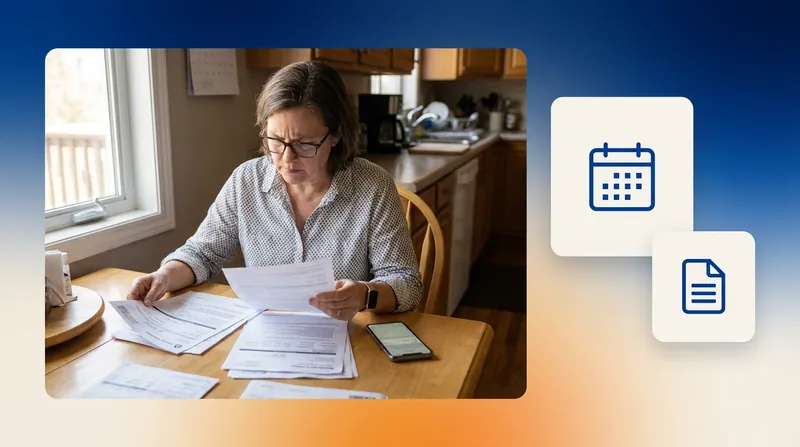
When an intake rollout is rushed, the front desk feels it first. Staff may still be answering phones, checking patients in, fixing insurance details, and learning a new process on the same shift. If the new tool does not write back to the EHR, they enter the same information twice, so a project meant to save time starts feeling like one more task.
That overload usually comes from the rollout design: old and new workflows running in parallel, training squeezed into live shifts, weak EHR integration, all-at-once go-lives, and messaging that sounds like headcount reduction instead of labor capacity. Implementation fell short for 57% of clinicians in the 2025 Arch Collaborative, and patients feel that overload in longer check-ins, repeat questions, and callback delays.
Workflow mismatches compound that overload. Staff work around the tool instead of through it, keeping shadow spreadsheets and side notes alive because the automation does not match how they actually book. If schedulers think automation devalues their judgment, they keep the old workaround running in parallel. Route judgment work and patient access protocols back to staff with the full patient context attached.
The Six Metrics That Prove a Clean Rollout
Track six rollout metrics to see whether the change held: re-keying, duplicate records, staff adoption, intake completion, registration accuracy, and manual entry time removed. Benchmark before the pilot starts, then track the same numbers through each phase.
Intake rollout scorecard
| Metric | What Good Looks Like |
|---|---|
| Time to go-live | Weeks, benchmarked against prior implementations, with fewer live-workflow changes for patients |
| Pre-visit intake completion | Fewer patients finish forms at the desk; track the share completing intake before arrival against your own pre-pilot baseline |
| Registration accuracy | Manual data-entry errors trend down from baseline |
| Duplicate record rate | Staff spend less time merging charts and patients repeat less history |
| Manual entry time removed | Hours per week staff no longer spend re-keying intake data |
| Staff adoption | Answer rate up; abandoned-call rate and staff minutes per call type down |
Clean intake data also matters downstream, because fewer corrections reduce denial risk. Healthcare Financial Management Association (HFMA) names initial denial rate a core revenue cycle KPI.
Turn Off the AI Agent for a Day, Get 100 Voicemails by 11 a.m.
The clearest test of intake automation is often what happens when it is suddenly removed from a front desk that has come to depend on it for call volume. South Shore Orthopedics switched its AI agent Oscar off for one day during a system update tied to its MSO transition. Roughly 100 voicemails piled up by 11 a.m., and turning Oscar back on the next morning returned the front desk to normal within 24 hours. On normal days, Oscar handles 10,000+ calls per month, clearing a recurring backlog of 600 to 1,000 voicemails to zero at the end of day and fully resolving 45% of calls before any human handoff.
The Six-Step Rollout Sequence That Beats a Hard Cutover
A contained rollout keeps staff from carrying the whole transition at once. These decisions, taken in order, protect capacity and show whether patients move through intake with less friction.
1. A Pilot Scoped to High-Volume, Repetitive Tasks Proves Value Fastest
Start with the work your staff handles most often, because that is where automation can remove the most manual effort with the least workflow risk. In most practices, that means eligibility checks, prior authorization follow-up, and scheduling questions. These calls are repetitive, easy to measure, and frequent enough to show quickly whether the pilot is reducing front-desk workload. Phone task time concentrates in eligibility and prior authorization (45%) and scheduling (31%), per a March 2026 MGMA poll.
2. Workflow Mapping Comes Before Any Configuration
Before anyone configures the tool, sit with the people doing the work and document each step they follow today. For an MRI, that means capturing details like contrast status, safety screening, and authorization requirements before the scheduler chooses a slot. Once the pilot is live, use registration accuracy, duplicate record rate, and manual entry time to decide whether the workflow is ready to expand.
3. EHR Write-Back Means Staff Never Learn a Second System
Staff lose the benefit of automation when captured details land outside the EHR workflow. During vendor evaluation, ask the automation vendor and your EHR integration lead whether the tool writes the scheduled appointment and insurance status back into the EHR, along with required intake fields.
Write-back matters most when the scheduling decision is clinical, not just an open slot. Booking an MRI, for example, depends on six fields the EHR needs populated: modality, body part, contrast status, safety screening, prior authorization status, and the appointment slot itself. If the tool only drops a free-text summary into an inbox, a scheduler still has to open the chart and enter each field by hand, and the automation delivers a note instead of a booked appointment.
4. Testing Workflows to Catch Failures Before Patients Do
Every failure the pilot catches is one a patient does not. Every failure that reaches production shows up as a live check-in delay or a callback to the patient. Have staff run test cases against the configured workflows before go-live, using the call types and edge cases they see every day, and flag anything that changes how they book, escalate, or document.
5. Phase the Go-Live One Workflow at a Time
Roll out one workflow per phase, not the full stack at once. Managers judge phase readiness by comparing pre-arrival intake completion against remaining re-keying, then checking call volume against staff capacity before expanding to the next workflow.
6. Redeploy Staff to Judgment Work and Warm Handoffs
Redeploy staff, do not replace them. The AI takes the repetitive intake calls, and schedulers move to tier-shifting roles: reviewing AI output, running protocol-driven follow-up, and taking the patient-facing calls the AI escalates. Every warm handoff to a scheduler carries the patient's identity, the reason for the call, and insurance status when it affects the next step, so the scheduler picks up where the AI left off instead of starting the call over.
Rollouts Hold When Configuration and Monitoring Stay Off Staff
Once the scorecard shows less re-keying and fewer abandoned calls, keep configuration and monitoring off the front desk. Already-full teams lose capacity when they absorb implementation work. When a practice needs setup off the front desk, Assort Health builds workflows from the practice's existing data and calibrates them before go-live.
Assort Health uses Synapse, its implementation engine, to ingest four source types: your EHR history, SOPs, decision trees, and call recordings. Assort Health combines those sources with its proprietary dataset of more than 300 million patient interactions to build organization-specific workflows from day one.
A guided calibration pilot of 30 to 45 days gives the practice operational relief without asking patients to absorb a messy transition. Bidirectional integration across more than 20 EHR/PMS systems lets captured intake and scheduling updates write back in real time.
Human handoffs carry the same no-double-work standard. Staff stays in the loop for urgent or complex calls, including emotional situations. The receiving agent gets a full context dashboard: patient identity, complaint details, insurance verification status, and triage notes.
That handoff discipline carries into every workflow the platform picks up next. Michigan Orthopedic Surgeons applied it to booking and produced self-scheduling conversion 3.5x higher and $2.3 million in new revenue captured. Annapolis Internal Medicine applied it to inbound call routing and achieved a labor capacity increase of 220%, giving callers a faster path to the right scheduling step.
Apply Patient Intake Automation Before the Next Staffing Crunch
Once intake is running clean, the same workflow extends outward. Activate picks up outbound referral scheduling, care-gap campaigns, no-show rescheduling, reminders, confirmations, and two-way follow-up across voice, SMS, and email. Because it runs inside the same platform, the workflow piloted for intake carries into proactive outreach without a second vendor, a second integration, or a second training cycle for staff.
SENTA Partners saw that carryover in outbound referral scheduling, where Activate delivered a 64% appointment conversion rate across voice, SMS, and email.
Timing matters because labor pressure keeps compounding: operating costs are up roughly 11% year over year for 84% of medical groups, driven by labor. Waiting a quarter means starting the same rollout with fewer schedulers on the phones and a bigger intake backlog to clean up first.
Book a demo with Assort Health to see how proactive outreach builds from your intake workflows.
FAQs About Patient Intake Automation
Is patient intake automation HIPAA compliant?
Yes. The vendor needs to show that HIPAA security and controls are built in. Look for HIPAA-compliant interactions and BAA readiness. Require documentation for how PHI is handled and logged, including retention.
Will patient intake automation replace front-office staff?
No. Roles shift within existing job titles: staff review AI output, manage protocols, and handle the patient-facing conversations the AI hands off.
What happens when the AI can't handle a call?
It creates a warm handoff to your staff with full context. Assort Health's warm handoff gives the receiving agent four context fields: patient identity, complaint details, insurance verification status, and triage notes.
How long does patient intake automation take to implement?
Implementation depends on scope. Because Synapse builds workflows from existing EHR history, SOPs, and call recordings through a guided calibration pilot, Assort Health's typical go-live is 30 to 45 days.

Assort Health
AI Built for Specialty Care
Assort Health builds AI agents for the patient journey. Its team shares practical insights on patient access, scheduling, and healthcare automation.