

We will show you how Assort completes the patient access workflow that keeps creating queues, callbacks, or manual follow-up at your organization.









Patients do not call because they want a conversation. They call because they need an appointment, a referral resolved, a form completed, a medication refill, or an answer that moves their care forward.
When automation stops at the first interaction, the work lands back in a queue. Staff still call patients back, chase missing information, route referrals, and finish the task in the EHR. That is not a completed workflow. It is a faster handoff.
Assort keeps the work moving until the next step in care is complete.
Step 1
.svg)
Step 2
Step 3
.svg)
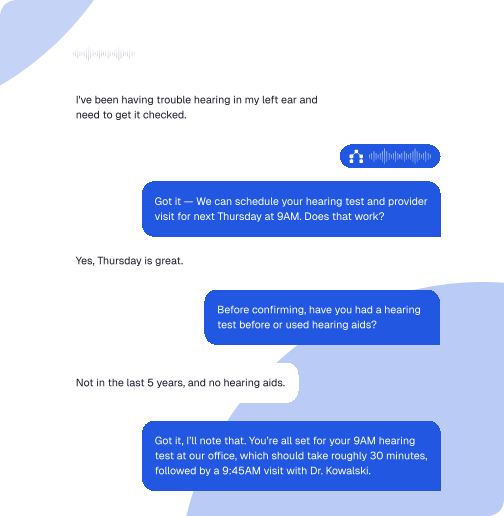
Book, reschedule, cancel, and confirm appointments using specialty-specific rules.
Process incoming referrals, resolve missing information, match patients to the right provider, and run outreach until the appointment is booked.
Collect required information before the visit and write it back to the appropriate system.
Capture requests, apply routing logic, and create the right next step without another phone queue.
Answer billing questions and collect patient payments within the interaction.
Close care gaps, fill open capacity, and bring patients back into care across voice, text, and email.
Why Assort
Disconnected tools create new queues between the call, the referral, the intake form, and the EHR. Assort works across those steps so patients do not have to restart their story and staff do not have to finish what automation left behind.
The strongest patient access programs do not stop at answer rate, handle time, or call containment. They measure whether more patients reached care, whether staff gained meaningful capacity, and whether available demand turned into booked visits and revenue.
Increase in appointment volume
Increase in labor capacity

Annual revenue per 100 providers


Assort Health has completely transformed how we manage patient access. It handles scheduling over 100 providers across six specialties with precision. Patients get through faster, our staff can focus on care, and we're seeing meaningful gains in both satisfaction and revenue.

Assort integrates with leading EHR, practice management, telephony, CRM, and contact center systems. Every completed action syncs to the systems your teams already use, so automation reduces work instead of creating another dashboard to manage.
Native integration with the EHRs your practice runs on